Verba: An Offline Latin Vocabulary Trainer on a USB Stick
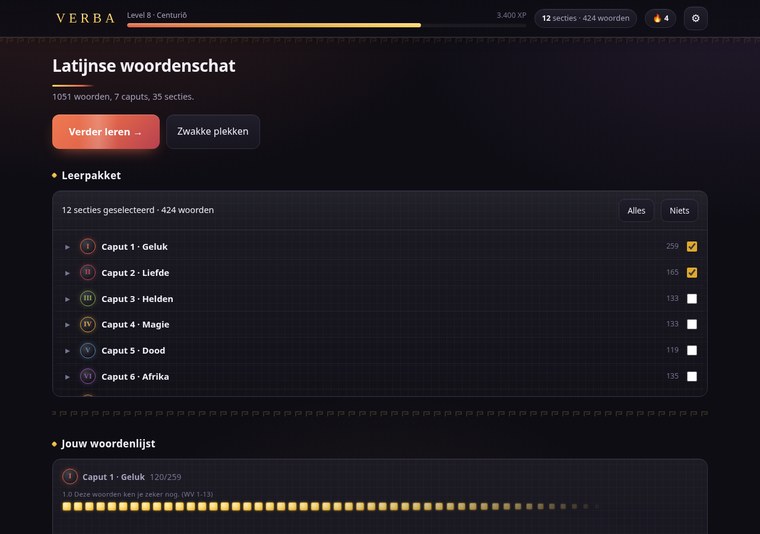
My son has to know 1051 Latin words. They come from the vocabulary list in the back of his school book, spread over seven caputs and 35 sections, and they arrive at the rate of a section or two per week. Flashcard apps exist, of course, but every one of them wants an account, a subscription, a phone in his hand and a network connection, three things I did not want in the same room as his homework.
So we built our own. It is called Verba, it is a single HTML file, and it lives on a USB stick. You double-click it and it works. No server, no installation, no internet, and, by design, not a single network request.
Why a single file#
The constraint came first and everything else followed from it. One file that runs over file:// means no fetch(), no XMLHttpRequest, no service worker, no ES modules, no dynamic import(), no CDN, no web fonts. Vanilla HTML, CSS and JavaScript, icons as inline SVG, the system font stack. Everything that would normally be a separate file has to be inline instead: the finished app is about 980 KB, of which roughly 330 KB is the word data sitting in a <script> block and another 370 KB is the background image as a base64 data URI. Without that picture it is 410 KB.
That sounds like a limitation. In practice it is the feature. It cannot break because a server is down, it cannot nag, it cannot be blocked by school wifi, and it will still open in ten years. Progress lives in localStorage with a backup save/load to a JSON file, because localStorage over file:// works in Chrome and Firefox but is not something you want to bet a term’s revision on.
There is now a second build that does talk to a server, for his class, further down
, but it is a separate file, and the rule above became stricter rather than looser because of it: the sync code is cut out of the offline build physically, and the build refuses to finish if a single fetch( survives in it.
This is the second app in this shape. The first was FLUO, the same idea for the periodic table. Verba deliberately reuses its architecture, its learning engine and its gamification. If you know one, you know the other.
The word list is the hard part#
Everything interesting about a vocabulary trainer is in the data, not the UI. A trainer with a wrong word list is worse than no trainer at all: it teaches the mistake, confidently, with a little green flash.
From the flatbed to markdown#
There was no digital version of the list to start from, so I put the back of the book on the office scanner. That scanner does one thing with what it scans: it emails it. Out came a pile of PDF attachments spread over a series of messages, in scan order, which is not quite page order. I saved those emails as .msg files into a shared folder and pointed Claude Code at the folder.
From there it was one job: open the .msg files, pull the PDFs out of them, read the vocabulary pages, and write out every numbered entry as a markdown table, number, Latin word, genitive or second form, Dutch translation, grouped by caput and section, carrying the book’s own conventions along (~a, ~um for adjective endings, m./v./o. for gender, - for a form the book does not give). Marginal cross-references and the highlighter marks my son had left on the pages were explicitly ignored.
The output is woordenlijst.md: 1051 numbered words in plain markdown tables, readable by a human, with the provenance and the conventions written at the top of the file.
Cross-checking against the index#
Transcribing a thousand entries from a scan produces errors. The book, usefully, contains its own checksum: an alphabetical index at the back, pages 70–84, with 1044 number references back into the vocabulary list. That is a second, independently printed copy of the same data.
So the second job was to scan that index too and check the whole list against it, mechanically: every number from 1 to 1051 present and unbroken, and every index entry pointing at the word it claims to point at.
The list came out clean. The index did not. Six entries in it are wrong, and in all six cases the vocabulary list itself is correct:
| Index says | Should be |
|---|---|
cōnfīdere → 913 | 213 |
hīc → 346 | 347 |
quod → 378 | 376 |
regiō → 876 | 878 |
laetus → 960 | 961 |
continuere (1012) | contingere |
Five wrong number references and one misspelled lemma, in a printed school book that has presumably been through several editions. Finding them was a side effect of wanting to trust the data. But it is a good illustration of why the cross-check was worth doing at all. Without it I would have had a list that looked right and no way to know.
That header, including the six discrepancies, is written into the top of woordenlijst.md, so the reasoning stays with the data.
One source, two scripts#
From woordenlijst.md on, everything is generated. A Python script turns it into latijn.json. A second script injects that JSON into an HTML template to produce verba/index.html. Three inputs, one artifact:
woordenlijst.md ──(maak-data.py)──▶ latijn.json ──(bouw.py)──▶ verba/index.html
                                                  ▲
                                    sjabloon.html ┘
The 1051 words exist in exactly one place. Correct a typo in the markdown, re-run both scripts, and the stick gets a new file.
Latin books abbreviate. The book prints bonus, ~a, ~um, where the tilde stands for the lemma minus its ending, and a bare ~ stands for the whole lemma (fortis → ~, forte → fortis, forte). The generator expands all of that, and grading accepts both the printed form and the expanded one. Two words refuse to follow the rule and sit as explicit exceptions in the script. One of them is duo, where the stem is du and not duo. The other is ūnus, ~a, ~um; ~ūnius, a seventh printing error, this time in the vocabulary list itself. That tilde should not be there: run through the normal rule it expands to nonsense, and the genitive of ūnus is simply ūnīus. It only turned up because the expansion is done by a script rather than by eye.
Word class is derived, not typed in: verbs from their , ~ō / ~eō / ~iō endings plus the irregulars, adjectives from the shape of the second column, nouns from whatever is left with a real form. That gives 245 verbs, 165 adjectives, 345 nouns and 296 words with no second form at all, 1051, which is the check that the derivation is right.
Each word is asked in up to two directions: Latin → Dutch for all 1051, and Latin → form (“give the genitive of amīcus”) for the 755 that have one. 1806 learning items in total, each with its own progress.
The gender the book does not print#
A genitive question used to ask for the form and nothing else. His teacher expects the gender with it, so the question became “give the genitive and the gender of amīcus”. And that turned out to be a data problem rather than a question of wording. In latijn.json only 153 of the 345 nouns carry a gender, because the book prints it only where it does not follow from the declension: dux ducis, m. and corpus corporis, o. of the third declension, but not rosa rosae or dōnum dōnī. Checked against the original scans, page by page: within one spread frūctus frūctūs has none and domus domūs, v. does, so the book is consistent about it.
The first version asked for the gender where the book gives it and accepted anything where it does not. That was the wrong call, and the feedback on it was the sharpest of the project: with no gender on file, any gender typed after amīcī scored correct, so the app was teaching a mistake and confirming it with a little green flash. A missed exercise is annoying; a wrong answer graded right is harmful.
So the missing 190 were derived from the declension, not guessed, with the rule recorded next to each word, first declension -a/gen. -ae → feminine (64 words), second -um/gen. -ī → neuter (53), fourth -us/gen. -ūs → masculine (21), and so on. The third declension is deliberately absent: there the gender does not follow from the ending, which is exactly why the book prints it there. Two pronoun-like adjectives (alter, plērīque) came out, leaving 343 of 345. The known exceptions were listed up front and checked mechanically, masculine first-declension people (agricola, nauta, poēta), feminine fourth (manus, domus, porticus), and not one of them fired: where they occur, the book already prints the gender. The trap worth naming is that the Dutch article says nothing about the Latin gender. īnsula is “het eiland” and still feminine, gladius “het zwaard” and still masculine, exercitus “het leger” and still masculine. The derivation looks only at the declension.
Then came the obvious objection to my own work: “I applied the rules and read it over myself” is the same claim made twice, not a check. So all 190 went past two independent sources, Wiktionary’s REST API and Olivetti’s online Latin dictionary, with the genitive as the key, which is the part that makes it work. Search on the lemma alone and pōpulus, pōpulī (feminine, “poplar”) cheerfully confirms the row for populus, populī (masculine, “people”). With the genitive required, the homonym falls away by itself; at fidēs it really happened, where the first hit was fidēs, fidis (“string”) and not fidēs, fideī (“loyalty”). Both sources agreed on all 190, with no contradiction anywhere. A third, Whitaker’s Words, confirmed the first 82 and then rate-limited me; a half-finished source is easy to count as confirmation, and it is not one, so it is named and not counted.
Zero wrong genders. But the second source also gives the declension, and there one label was wrong: rēs pūblica sat under “first declension”, because my rule only looked at the endings of the second word, while reī is fifth. The gender was right, so the app did the right thing, the justification printed next to it was wrong, and in a table meant as evidence that is just as bad.
maak-data.py now refuses to build if a noun has no gender at all, if a derived row does not exist or already carries a printed one, if a gender contradicts its own rule code, or if the rule code contradicts the declension that nominative and genitive point to together. Writing that last check was immediately instructive: my first version looked only at the genitive and declared deus, deī fifth declension, because deī ends like reī.
The derived values are not written into the word rows. woordenlijst.md is a transcription of the scans and has to stay one, so they sit in a separate section at the back, “Derived genders, NOT from the book”, with the rules, the exceptions that were checked, and all 190 rows to recompute. In the Discover screen a word then reads “Gender: m. — the book does not give it for this word; derived from the declension”, so the provenance stays visible to anyone who looks for it. One consequence is honest to state: for those 190 words the gender is not in his book. If his teacher tests only what is printed, he is learning something extra here, correct Latin, but more than was asked.
Grading typed answers#
This is where a vocabulary trainer either earns trust or loses it. Getting told you are wrong when you are right is the fastest way to make a fourteen-year-old close the app.
The rules that matter:
- Macrons are never required.
amiciis accepted foramīcī. They are always shown, because he has to be able to read them, but typing them on a normal keyboard is not reasonable. - The article is optional.
vriendandde vriendare both right. - One meaning is enough, and their order is free. For
de plaats; de gelegenheideither half scores, and the feedback then shows the full translation with a quiet “Also correct: de gelegenheid.” Give both and the order does not matter:zorgen voor, verzorgenis as right asverzorgen, zorgen voor. Every part he gives must be correct, though, a wrong meaning thrown in for free is still wrong. - Parenthetical gloss is not part of the answer.
forum (romeins marktplein)is satisfied byforum. - A typo counts as correct. Not “almost”, not half a point: the box moves up, the combo and the typing streak carry on, and it counts in the accuracy figures. Only the XP is slightly lower, and the feedback shows the correct spelling. Detection is Damerau-Levenshtein, so swapping two neighbours costs one edit and not two, with a tolerance that scales with length, nothing under four characters, one up to nine, two beyond that.
Two guards keep that from becoming a free pass. What he typed may not be a valid answer to a different word, de vijand for de vriend is confusion, not a slip, and stays wrong. And on a form question the ending has to be right, because the ending is the material being tested: an error in the stem is a typo, but amicō for amicī is not. A doubled letter and a swap of two neighbours are allowed anywhere, since neither can produce a valid alternative form.
A strict mode exists in the settings for the week of the test, where only the canonical answer counts and the typo tolerance is gone.
The multi-meaning rule had to be rebuilt later. quis?, quid?; quī, quae, quod? has (z.) wie?, wat?; (b.) welke? as its answer, and the grader split what he typed on ", " and looked each piece up. That works only as long as he punctuates exactly like the book: move the semicolon or leave the commas out, and the whole answer becomes one unrecognisable piece, and scores wrong. Comma, semicolon and a plain space are now interchangeable, and the answer is partitioned rather than split, a backtracking search, longest piece first, for a way to cover the entire word sequence with accepted meanings, each used at most once. So wie wat welke is right, wie?, wat? welke? is right, and wie wie is still wrong, as is a correct answer with one invented meaning thrown in. Labels are optional too: brackets and their contents, a mv.: prefix, and an optional letter in brackets, which makes sommige(n), sommige and sommigen all three right. On a form question order and completeness do still count, a form is one whole, but the separators are not the material either: unus una unum unius is accepted for ūnus, ūna, ūnum; ūnīus, while unus una unum stays incomplete. A fixed split tests punctuation; a partition tests whether he knows the meanings, and nothing else.
Asking for the gender needed the same freedom. ducis, m., ducis m., ducis m, ducis (m.), ducis;m and ducis mannelijk are all accepted, along with masc., n., onzijdig and the rest of the usual spellings; for m./v. any combination of one masculine and one feminine notation counts, and on m. mv. the plural mark may be left off, because the question is about the gender. What is missing does count: a bare ducis is wrong with the reason “forgotten”, ducis, v. is wrong with “incorrect”, and at diēs an m. alone is not enough. One thing the separate check forced: as long as , m. was still glued to the form, that became the ending. And the rule that the last two characters of a form must be right then saw ducem, m. and ducis, m. with the same tail and scored it a typo, which is the exact opposite of what that rule is for. The grader now cuts the gender tail off first, grades the form as usual, and checks the gender afterwards; if the ending is wrong, that is the miss and the gender no longer matters. The multiple choice had the same leak, all four options carried the same , m., so one of the three distractors is now the right form with the wrong gender.
The most valuable test in the whole project is the invariant behind this: for all 1806 items, the answer the app itself displays must also be accepted by the app, with and without macrons, in lenient and in strict mode. It is one loop over the data, and it has caught more real bugs than anything else.
The learning engine, and the two things it got wrong#
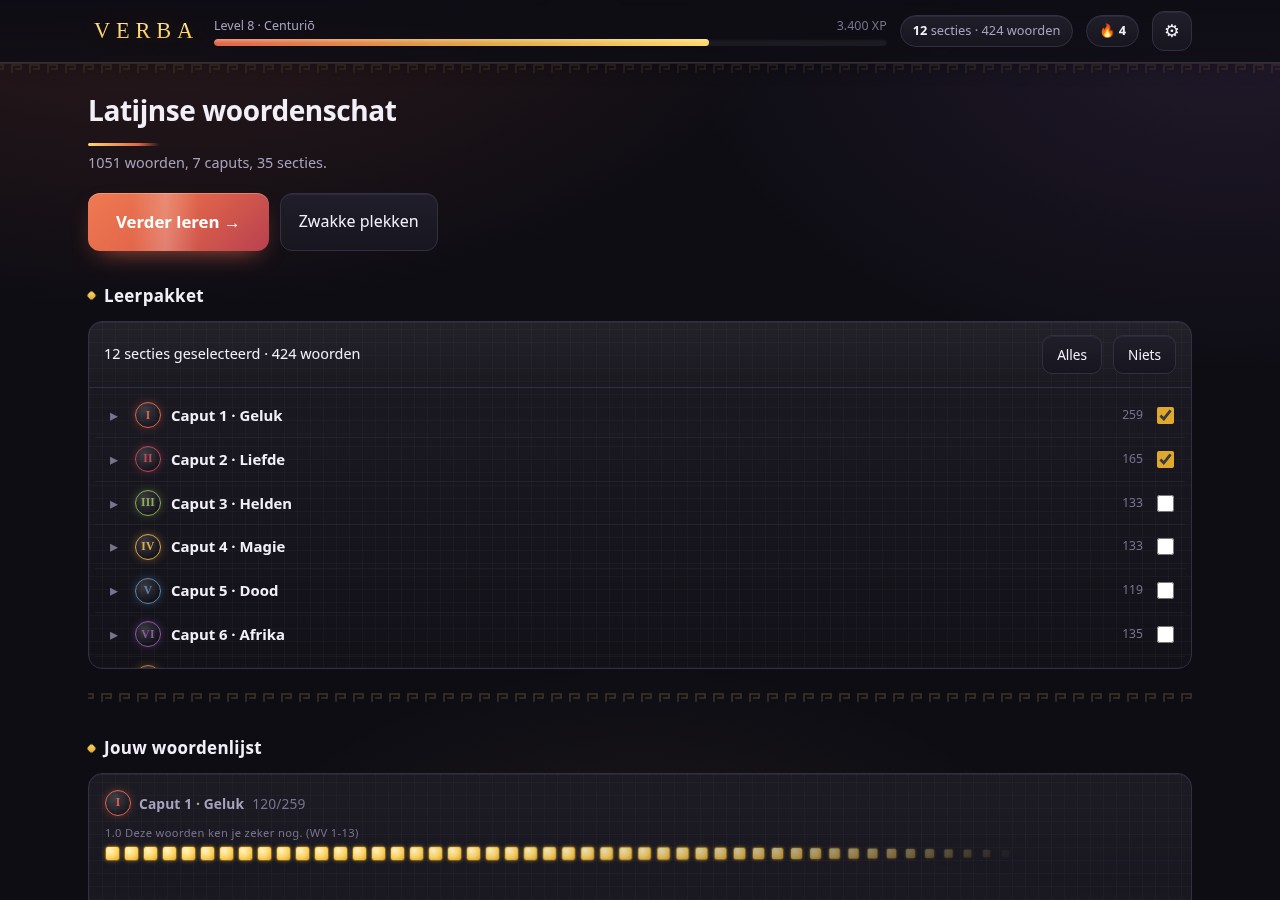
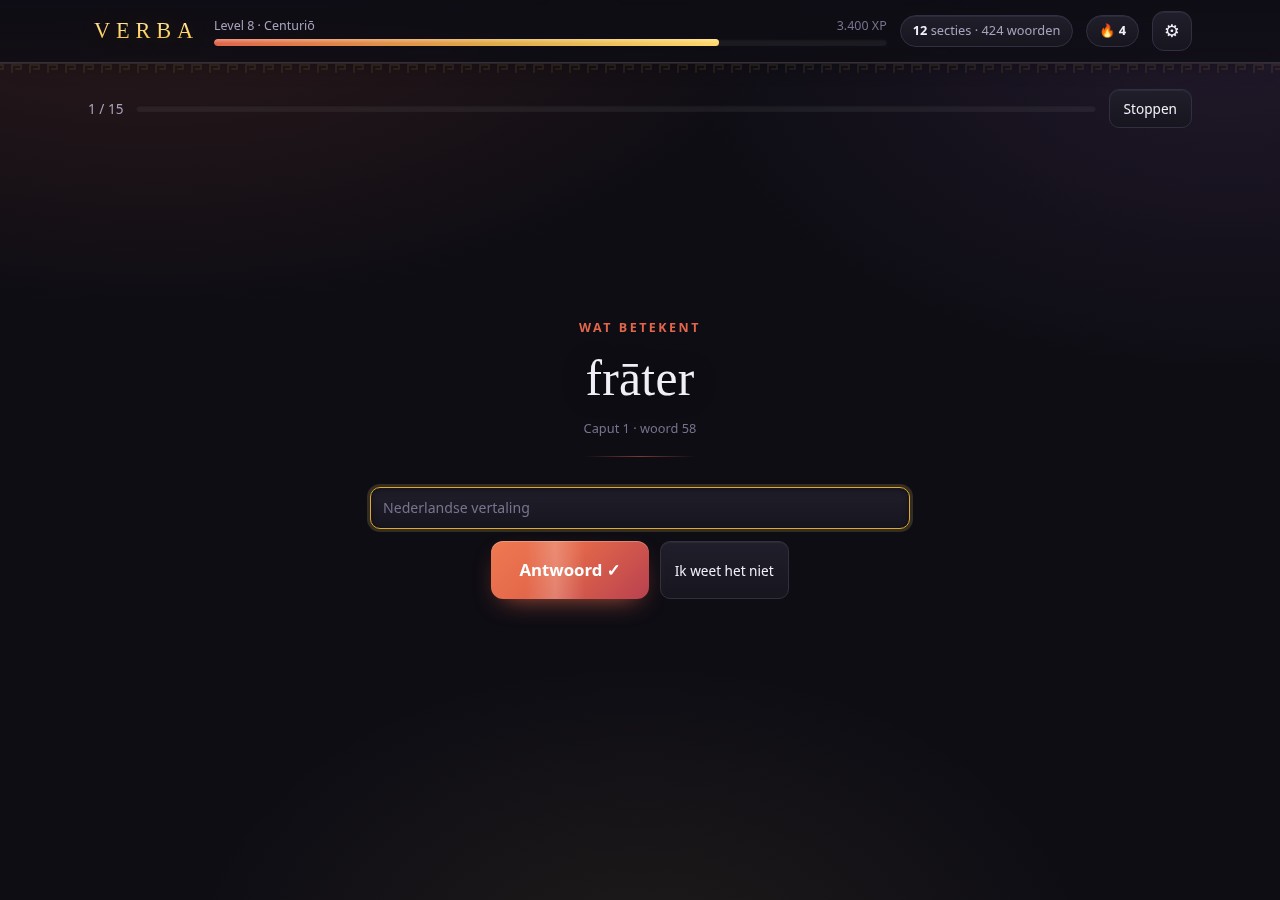
Underneath is a six-box Leitner system. Correct moves an item up a box, wrong drops it to box 1 (not 0), and each box has a waiting time expressed in both other questions asked and elapsed time, box 3 wants twenty questions and a day, box 5 wants seventy questions and a week. The form question of a word only unlocks once its meaning question reaches box 2: first know what it means, then the form.
One thing is different from every spaced-repetition tool I have used, and it is the difference that made it usable. The engine works only inside the active learning package, a selection of sections he ticks on the home screen, because a school test is always about a part, and 1051 words as one undifferentiated heap is not a study plan. Progress, though, is stored globally per word and direction. Switching packages never loses anything, and a word that appears in two tests is learned once.
Two weeks in, he had two complaints, both of which turned out to be real.
“It’s nearly all multiple choice.” The question form hung purely off the box: boxes 1–2 multiple choice, box 3 and up typing. But box 2 has a ten-minute waiting time, so within one sitting almost the only thing that ever comes back is box 1. And a wrong answer puts an item back there too. Measured: 27 % typed questions, and in the “weak spots” mode essentially zero, because weak items are by definition in a low box. The fix was to stop deciding on box alone: typing from box 2, a cap on how many multiple-choice questions in a row one item may get, and a floor on the typed share of a round. Plus a setting, how much typing, with three levels, because the right amount is a matter of taste. Measured after: 60–64 % typed on the default, 30 % versus 59 % between the extremes.
“The same word keeps coming back.” The only rule was “never the same word twice in a row”. With at most ten items in the air, a round of fifteen questions showed the same word up to five times, and the measured minimum distance between two turns of one word was one question, the form question of a word sometimes landed directly after its meaning question, because the introduction routine never looked at what had just been asked. Now there is a repeat window of five words (four to six, see below), a cap of two turns per word per round, and a layered choice: fresh material first, then repetition with a shrinking window, and if it comes to it, rather one more new word than a third turn for the same one.
A third fix came out of the same session. The combo multiplier was reset at both the end and the start of every round, so a run of ten correct answers always died at the round boundary. The combo belongs to the learner, not to the round. It now carries across rounds and across closing the app, and breaks only on a wrong answer.
“A typo shouldn’t cost me my streak.” The grading had an “almost” verdict for a one-character miss, which sounded generous and was not. The combo did not break, but it stopped growing, the typing streak froze, the item did not advance towards gold, the answer counted in neither accuracy total, and the round’s flawless bonus was gone, because that bonus requires zero “almost” answers. Worse, the detection was too narrow to catch the commonest slip of all: a transposition is distance 2 in ordinary Levenshtein, so amicsu was simply marked wrong. A typo is a motor slip, not a gap in knowledge, and it is now scored as such. The same round of feedback turned up the ordering bug in multi-meaning answers described above.
None of these were crashes. All four were the kind of bug that makes a tool quietly unpleasant to use, and none of them would have surfaced without someone actually revising Latin with it every evening.
Letting the pace find the learner#
The number that governs how much new material arrives is the ceiling on items in the air, items sitting in box 1 or 2, half-learned. It was a constant: ten. That constant is wrong for everyone except the imaginary average learner. Ten half-known words at once is a wall for someone who is struggling, and for someone who is flying it means the round keeps coming back to words he already knows, because there is nothing else to ask.
So the ceiling now moves with the answers. Every answer in a learning round produces a fluency score between 0 and 1: wrong is 0, and correct is 1 if it came quickly, sliding down to 0.5 if it came slowly. The thresholds have to differ by question form, because clicking is not typing, 4 s and 10 s for multiple choice; for typing, 3 s + 0.22 s per character of the expected answer, and 2.2× that for the slow end. Without the length correction every long translation reads as hesitation. Anything over a minute is a coffee break, not slowness, and is clamped.
Those scores feed a running average with a memory of roughly the last twelve answers, which sets two things:
| Struggling | Middle | Flying | |
|---|---|---|---|
| Items in the air | 5 | 10 | 14 |
| Repeat window | 4 words | 5 | 6 |
The repetition side needs no separate rule, which is the part I like. If less new material is allowed in, the question-selection algorithm fills the round with due and maintenance questions by itself, more drilling of what is already half-known, which is exactly what someone who is struggling needs. Nothing had to be taught to “repeat more”.
The index lives in the profile, so it survives closing the app, and the settings screen has Learning pace: automatic, or pinned to slow (5), normal (10) or fast (14). It also shows what the automatic setting is currently doing, “now 10 words at a time”, because an invisible mechanism that changes how the app behaves is unsettling rather than clever.
The right answer to the wrong question#
The last fix is the smallest and my favourite. A chunk of his wrong answers were not gaps in knowledge at all: he typed the genitive when the question asked what the word means, or the translation when it asked for the genitive. The app dutifully marked those wrong, box down, combo of eleven gone, typing streak broken, for a mistake that was about reading, not about Latin.
That is now detectable, because the app knows both answers to every word. If a typed answer is wrong for the direction that was asked but exactly right for the other direction of the same word, nothing is counted: no box change, no combo break, no XP, no accuracy, no pace index, not even the round’s question counter. The same question comes back with an empty field and a blue card, “↻ Read the question again, that is the genitive of this word, you are being asked for the meaning”, and the answer clock restarts, so the misread attempt does not drag the pace down either.
Once per question. A second wrong answer is simply wrong, otherwise it becomes a free hint. Two things kept it honest: the guard only accepts an exact match in the other direction, and words with only one direction can never trigger it. Both are in the test suite, along with a run that compares every counter before and after.
Mastered means being done with it#
One more complaint came out of real use: there were words he had answered correctly four times in the meaning direction and twelve times in the form direction, and they kept coming back. That was a promise the box table made and the round filler broke. The maintenance step of the question selection took any item at box 4 or higher, regardless of its waiting time, so box 5’s “after at least seventy other questions and seven days” was overridden every round. And the choice among them was a blind draw, which in a small package keeps pulling the same handful. Form questions suffer most, because as the second direction of a word they have been in the rotation longest.
Two changes. Mastered is a new state: box 5 and the last two turns flawless, counted per item. Box 5 on its own is not proof, because an “almost” leaves the box where it is, so the counter resets on a wrong answer and on an “almost”, while a typo counts as correct. A mastered item drops out of the maintenance filling and only comes back when it is genuinely due. And maintenance now picks by age instead of by lot: the item that has gone longest without being asked goes first. If there is nothing else left to ask, mastered items are allowed back in, because a fully mastered package may not stall.
Old saves have no such counter. Items sitting at box 5 get it set to two when they are read in, since box 5 is only reachable through correct answers. They had already earned it. The same rule had to go into the server’s merge code, or the first sync would wipe the assumption again.
What this does not fix: a form question he regularly gets wrong still comes back often. That is Leitner working as intended, a wrong answer puts the item back at box 1, and box 1 is due again after four other questions. The difference is that a run of correct answers now buys the item some rest.
Making it worth opening#
The learning engine is the point, but a fourteen-year-old does not open an app because it has a well-tuned Leitner scheduler.
The centrepiece is a mosaic of all 1051 words, one small cell each, grouped per caput in its own accent colour. Zero stars is a dark cell, one or two is a faint glow of the caput colour, three or four fills it, and five, every direction of that word at box 5, turns it gold. Words outside the active package are dimmed but still there. He watches his entire vocabulary list slowly turn gold, and that image does more for motivation than any number.
Getting the star formula right took a revision. Rounding the box average down meant a word at L2N=1, L2V=0 showed as zero stars, “never seen”, for a word he was actively working on, which made the central visual a liar. It rounds up now, with gold strictly reserved for all-boxes-at-5.
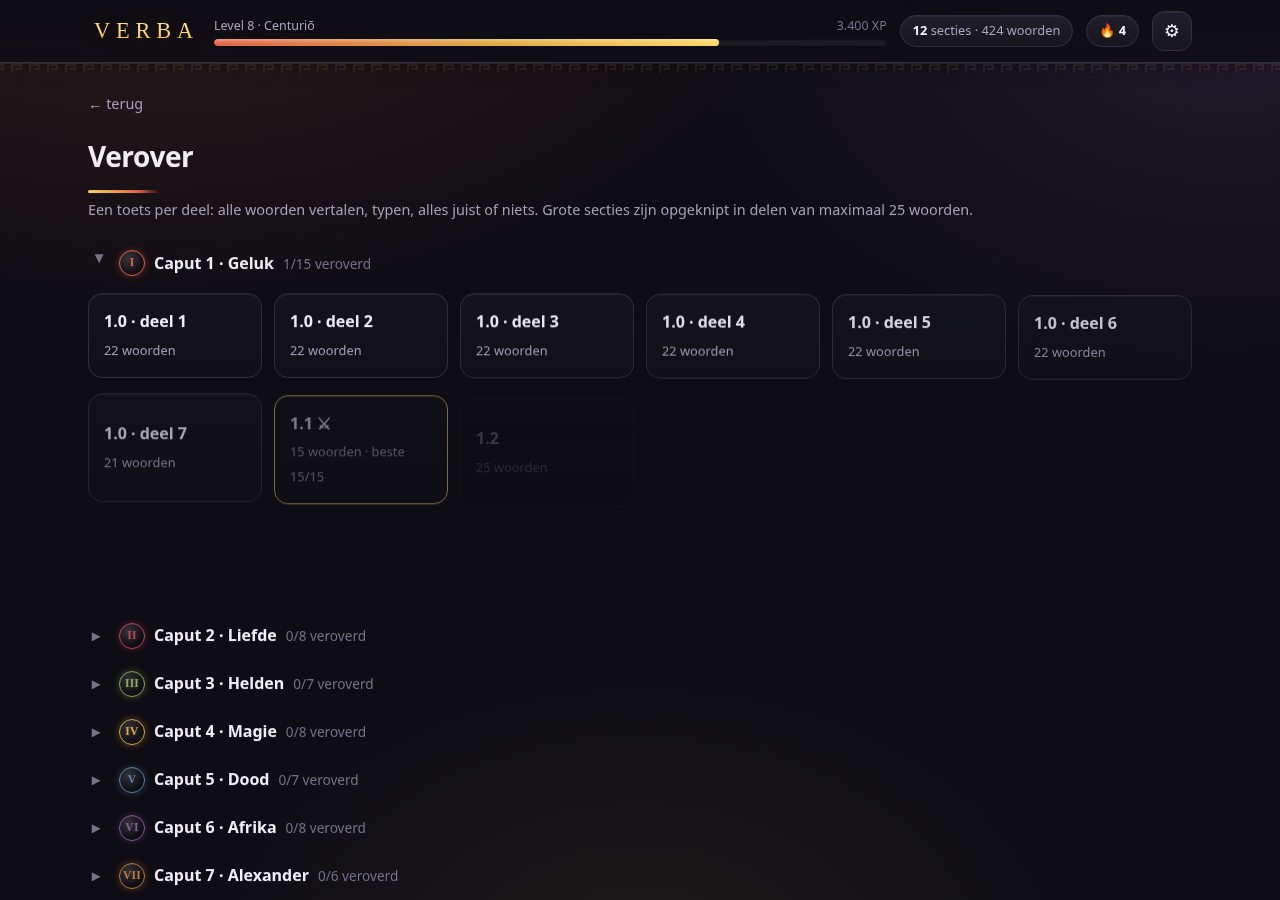
Around that sit XP and a ladder of levels named after Roman ranks, from Discipulus up to Iuppiter (there are forty of them now, see below), a combo multiplier, a daily streak, twenty badges, and a mode called Verover (“conquer”): per section, type every word, 100 % or nothing. Sections vary wildly in size, section 1.0 has 153 words against a median of 20, so large ones are cut into parts of at most 25 words, giving 59 conquest tests. Take all 59 and a 60-question final exam unlocks.
And then there are the tesserae: twenty collectible pixel figures in Roman style, each a 16×16 grid drawn on a <canvas> at runtime and turned into an <img> with toDataURL(), no image files anywhere. Each has a Latin name, a rarity, one dry line of flavour text and a single unlock condition, and locked ones show as dark silhouettes with their condition and current count.
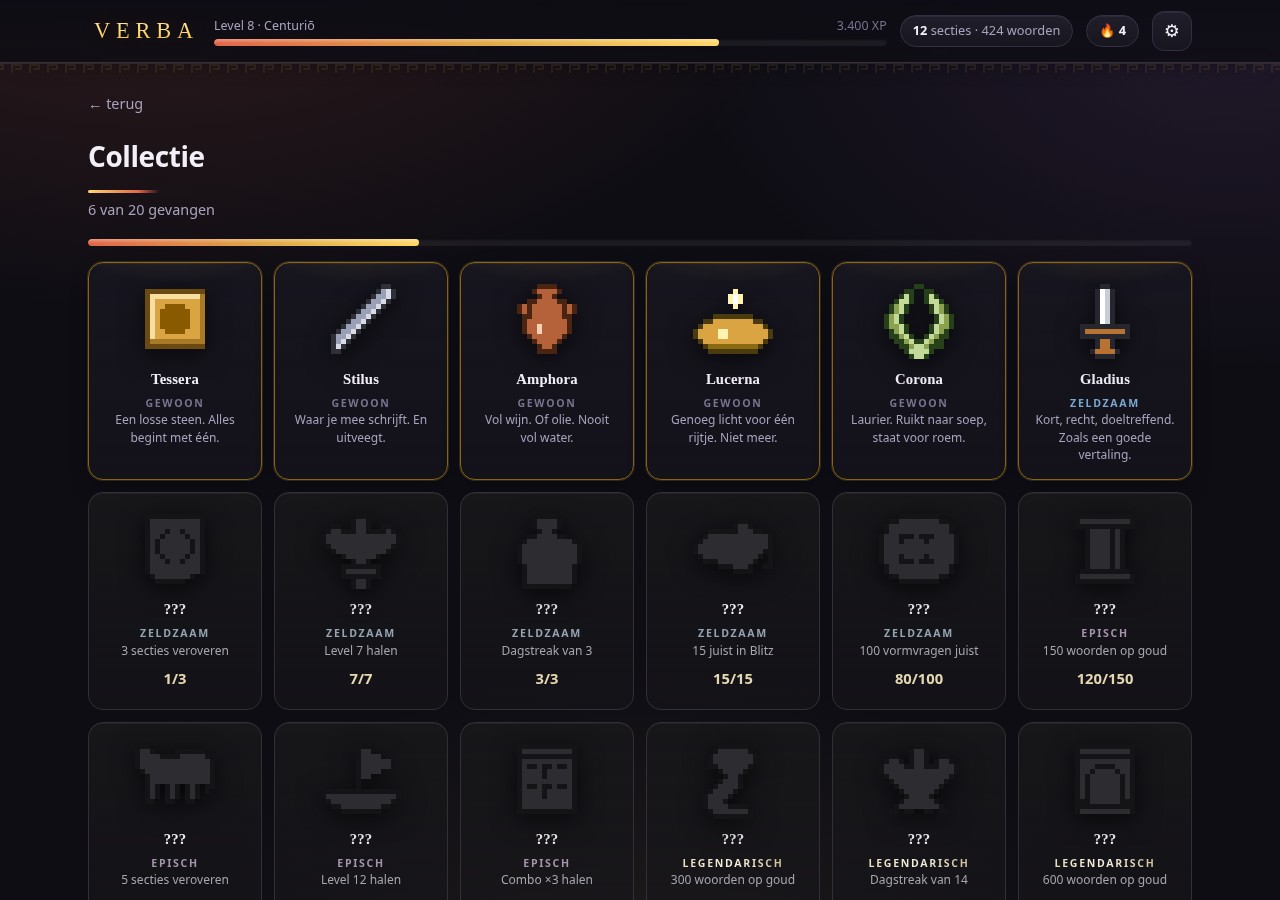
They were drawn as Python pixel grids, rendered to a contact sheet, looked at, corrected, and injected into the template. “Is it recognisable at 16×16” is an acceptance criterion in the spec, and judging that needed a human eye on a PNG.
The whole thing is themed “Roman mosaic at night”: a deep warm stone background with soft terracotta, purple and gold washes, seven caput colours borrowed from Roman materials, a Greek-key meander as a data-URI SVG tile, Roman numerals in medallions, laurel wreaths built in SVG around the badges. Gold is used for exactly one thing, mastery, and nothing else. Latin is always set in a serif stack and Dutch in the system sans, which sounds fussy but genuinely helps in a translation drill.
Behind all of that now sits a Roman city panorama, the Colosseum on the right, temples, an aqueduct and terracotta roofs on the left, in ligne claire, the flat-colour Tintin style. It took three goes. The first was a hand-drawn inline SVG of a trireme, a moon and the Colosseum as a band across the top of the home screen, which pushed the content down and, after two rounds of revision, still did not look good enough to keep; it was ripped out again the same day. What worked was an AI-generated image instead, placed position:fixed; inset:0; z-index:-1 so it is a real background behind every screen rather than an element on one of them. It sits at 38 % opacity (34 % on mobile) under a scrim that darkens from rgba(14,13,20,.42) at the top to .78 at the bottom, with saturate(.85) brightness(.9) on top, so the drawing dissolves into the dark theme instead of competing with the text. On a narrow screen the whole panorama turns to mush, so below 720 px the background position shifts to 72% 70% and it simply becomes the Colosseum.
The single-file rule applies to the picture too, of course: it is base64 in the HTML, which is where most of that 370 KB went. The favicon got the same treatment, a Roman temple façade as a 1 KB inline SVG data URI, so even the tab icon costs no network request.
Forty levels, and the second twenty arrive slowly#
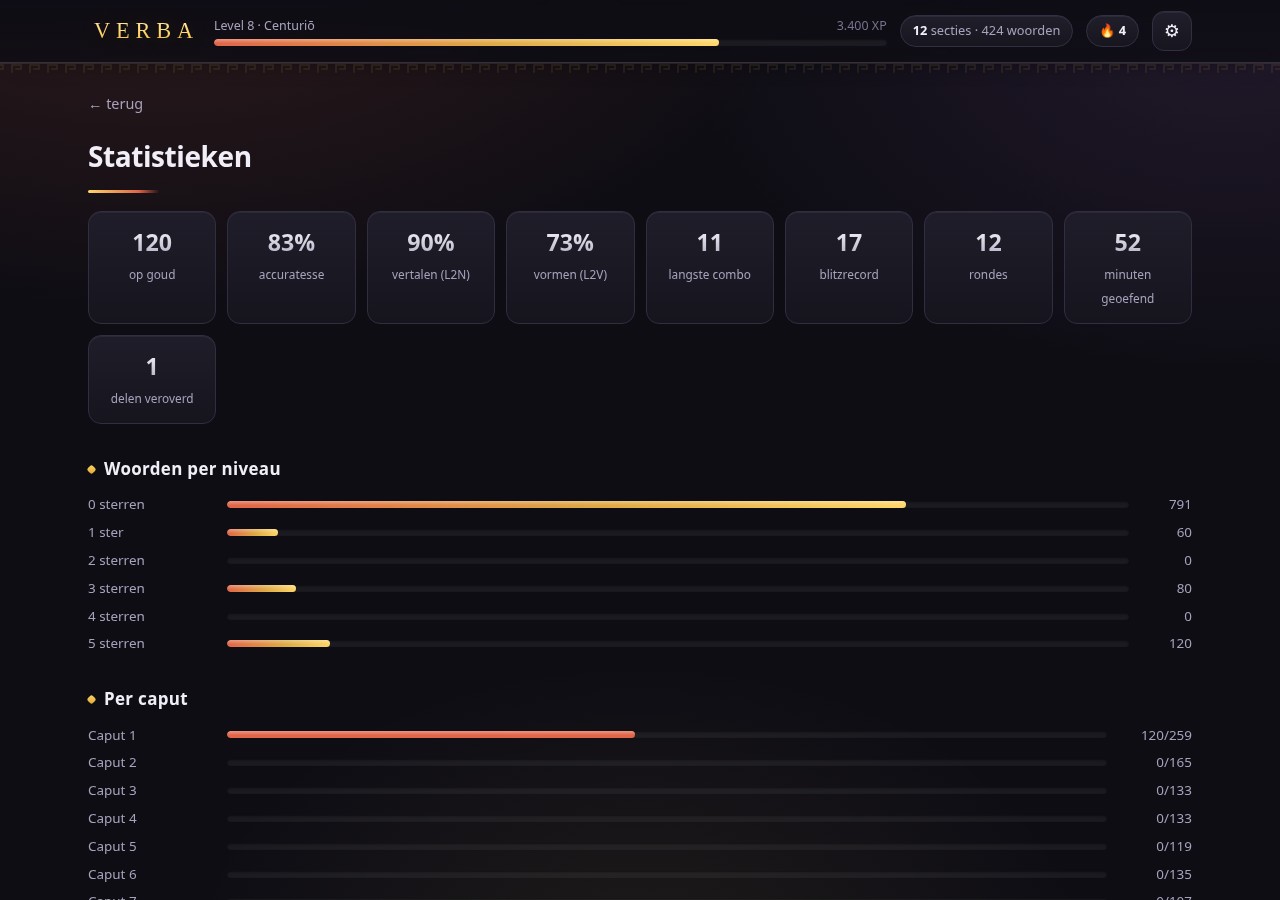
A week in: “Robbe has most of the levels up to Iuppiter already. He would like it if the levels didn’t come so fast, and if there were more of them.” The ladder had twenty levels with a threshold of 100 × n × (n+1) / 2, so Iuppiter sat at 19 000 XP. A solid day of practice is roughly 2000 XP, three rounds of fifteen questions, mostly typed, with a combo around ×2, and the conquests and the first box-5 bonuses come on top of that in the first week. Twenty levels in a week is what the formula predicts. The ladder had been cut for a week and not for a school year.
The knot is that the level is never stored anywhere; it is derived from the XP. One smooth, steeper curve across forty levels would therefore re-grade his existing 19 000 XP as well, and put him back from Iuppiter to something like level 12, precisely the wrong reward for a week’s work. So the first twenty levels stay exactly as they were, in name and in threshold, and the extension sits entirely on top: above level 20 a step costs 20 000 + 1000 × (n−18)². Where level 20 cost 1900 XP, 21 and 22 cost 5000 each, and every step after that is 2000 XP dearer than the last, up to 41 000 for the final one. Level 40 lands at 461 000 XP, at ~2000 XP per practice day about 230 days, which is a school year. The guarantee is in the test suite: for every XP total below 19 000 the new ladder gives exactly the same rank as the old one, and nowhere a lower one.
Naming them was the harder half. Nothing stands above Iuppiter, any god or honorific you put after him reads as a demotion. So the second ladder is made of Iuppiter’s own epithets: you stay who you are and collect titles, the way a Roman stacked them. They run from protector up to the title of the temple on the Capitol: Custōs, Stator, Cōnservātor, Prōpugnātor, Pluvius, Tonāns, Fulgurātor, Lapis, Terminus, Feretrius, Ultor, Victor, Triumphātor, Imperātor, Invictus, Lībertātor, Caelestis, Aeternus, Omnipotēns and, at level 40, Optimus Maximus. All attested cult names, nothing invented.
Two side effects. The Roman-numeral table stopped at XX and had to be carried on to XL, or the level-up overlay would have shown a bare “21”. And “Iuppiter Optimus Maximus” is three times as long as “Nauta”, so in the header the name gets an ellipsis to keep the XP figure in place, and in the overlay the type drops from 1.9 to 1.35 rem for names over sixteen characters. The XP table itself, the badges, the tesserae and the conquest bonuses were left alone, only the ladder got longer.
A companion who turns up on the bad days#
The next request was for small animations that appear at fitting moments and encourage the user, explicitly not as a reward, but at moments when motivation might dip. That makes the dosing the actual design question, and it meant the signals had to come from data the app already had. There are six: back after three days or more away, three wrong in a row, a combo of six or more breaking, an item wrong for the third time, halfway through a round at 60 % correct or less, and a result screen under 60 %, which then also names what did improve.
The comites are seven pixel figures that appear in the bottom-left corner with one line and sometimes a Latin motto, festīnā lentē, gutta cavat lapidem. The host is noctua, Minerva’s owl, who turns up twice as often as the others; around him are a miles (legionary with galea and scūtum), a gladiator (a murmillo with a bronze grille helmet, manica and gladius), an augur (toga over the head, the curved lituus), a vestalis (veil, red-and-white īnfula, the sacred fire), iuppiter and mercurius. The first round was animals, the goose of the Capitol, the she-wolf, a dolphin, the augurs’ sacred chicken, and they were replaced on request by people and gods, which sits closer to the Latin material. The owl stayed, because it had already been approved and because it belongs to Minerva.
The rules are mostly about restraint: at most one per round, at least three minutes apart, only in learning rounds and never in a Blitz or a test, never while a dialog is open (it is dropped, not queued), and never the same figure or the same line twice in a row. No sound, no XP, no gold, pointer-events: none, aria-live="polite", four and a half seconds on screen, and its own setting to switch them off. Every line that asserts something computes it from the save, and a line that would need a number that happens to be zero drops out of the draw.
They are 32×32 where the tesserae are 16×16, “12×12 is not enough resolution to be recognisable, so raise it considerably”, and they are not drawn cell by cell but built from shapes, ellipses and polygons, with the outline added around them automatically. Every figure has its eyes in two named cells and the blink frame just swaps those, so each one blinks without any extra drawing, and a helper that assembles a face (eyes, nose, mouth, light from the upper left) does the same job for the human figures. The contact sheet caught what contact sheets catch: the legionary first looked like a man in a beret and now wears an iron helmet with a transverse red crest, the dolphin went from a sickle to a shark before it got a round melon head and a small curved dorsal fin, and the gladiator’s eyes fell exactly on the bars of his visor and disappeared. They now each sit in a dark square of the grille.
The hidden drawer#
“Add a few words that a fourteen-year-old finds funny to learn, for example flatus, faeces.” That one needed care, because the specification says nothing goes into woordenlijst.md that is not in the book, and 1051 words over 7 caputs is baked hard into the counts, the badges, the mosaics, the class mosaic and the tests. Three options, then: a separate bonus caput, a full Caput VIII, or an easter egg. It became the easter egg, no numbers, no Leitner, no XP, nothing in the save, nothing in the word list, just a list in the template.
Type one of the keys in the Discover screen and a button appears at the top of the list: "🚽 Secret drawer found: Cloāca Maxima". The keys are the Latin headword or any beginning of at least four letters (macron-insensitive), one Dutch keyword per word (scheet, kont, poep, snot…), and cloaca maxima itself. The button reuses the flashcards that were already there, with 21 words, cloāca, flātus, crepitus, pēdere, merda, stercus, faex, cacāre, mingere, ūrīna, lātrīna, vomere, ructāre, mūcus, pōdex, natēs, pedis (“louse”), fētor, caudex, furcifer, bāsium, and the back of each card carries a fact instead of a caput and word number, with “Cloāca Maxima · not from your book” underneath.
It surfaced a bug straight away: the new smoke test could not click the drawer. The search field redrew the list on change as well, and change fires when the field loses focus. So mousedown on a row blurs the field, the list is rebuilt, and the click lands on an element that no longer exists. That had been true of every ordinary word row all along: the first click after typing was lost. The field now listens on input only, which covers every keystroke anyway.
Then, rightly: “Check the facts against real sources so they are certainly right. Check the words, the translations, the forms and the genders against external sources too.” Every word against Lewis & Short and Wiktionary, every fact against the Latin text, and four things turned out to be wrong. A vomitōrium is the passage through which the crowd poured in, not an exit through which the audience was spewed out (Macrobius, Sat. 6.4.3: ingredientes in sedilia se fundunt). Claudius’s edict was not issued “for public health” but after someone nearly died from holding it in out of embarrassment (Suetonius, Claud. 32). mingere has mīnctum/mīctum, not mictum. And forica has short vowels. One entry now carries its own disagreement: for pedis (“louse”) Lewis & Short give pĕdis, common gender, and Wiktionary pēdis, masculine, so the fact says the sources disagree rather than picking a winner. The rest got real quotations, Cicero’s sordem urbis et faecem, Vespasian’s atqui e lotio est, CIL VI 29848’s quisquis hic mīxerit aut cacārit, Terence’s caudex, stīpes, asinus, plumbeus, and all the genders and declensions checked out.
A class on the website#
Robbe learns on more than one device and kept starting over, and his classmates wanted in. That asks for one central place for the progress, and therefore for the end of “one file, no server”. The offline file stays, though: it is the reason this project exists, and the way back if the hosting ever stops.
So the build script now produces two files from one template. The sync code sits between markers and is physically cut out of the offline build rather than switched off with a flag, and the build refuses to finish if a fetch(, an XMLHttpRequest or a WebSocket survives in the offline file. “Zero network requests” is a property of the file that way, not of an if.
Building it turned up something I had not thought of: the words are in the HTML, so anyone who knew the URL had the whole list, class code or not. The online build therefore carries no word data at all. After logging in the app fetches the words with its token, puts them in localStorage and reloads, after which it starts up synchronously exactly like the offline build and keeps working without a connection. On the server they live in a .php file rather than a .json, because a .json in the document root can simply be requested.
An account is a class code, a name and a PIN. No email, no OAuth, no recovery by mail. A name is unique within a class, so two classes can each have their own Lotte, and the join code decides which class is searched at login. PINs go through argon2id, tokens are stored as hashes only.
The piece that destroys data silently when it is wrong is the merge, so it was built first and it is the only part with a mutation test: six deliberately broken versions of the merge code, last writer wins, badges by latest timestamp, client always wins, streak taken over wholesale, no clamp on timestamps in the future, overwrite the entire state, and the tests catch all six. Counters take the maximum, the most recent sighting decides which side sets the box, badges keep their earliest timestamp, and the daily streak is recomputed from the union of the days. There is a proof from real use, too: after Robbe had migrated his 44 learning items and 9937 XP, a test browser with no progress at all logged into the same account and synced. Under “last writer wins” his progress would have been gone at that moment; the merge left all of it standing.
Every row in the event log carries a ready-made Dutch sentence, so the log reads without any database knowledge, with a filter per class, per pupil and per day and a download as plain text. Those sentences are composed on the server from a fixed list: let the device send them along and a pupil writes his own log. Per round and per event, never per question, otherwise you are keeping a record of which words someone else’s child got wrong. Around it sits an admin page (create, rename and delete classes, set a join code, pupils per class with PIN reset and deletion, and the log), on its own URL, noindex, with no link from the app, and a parent letter that goes out with the join code: what is and is not kept, that the log exists, that the school is not involved, and how to have an account deleted.
Opus musivum#
What the class gets out of it is a set of seven Roman mosaics of 96 × 64 = 6144 tiles, one per caput, plus a final panel. Every word the class turns gold lays another small heap of tiles, scattered across the field, never in blocks, and a mosaic is finished when every word of that caput has been mastered by somebody. The design decisions came out of a discussion about what would actually motivate a class: different words rather than a sum of everyone’s XP, finishing one on your own is allowed, and you only ever see your own share. The scenes are the obvious ones, Cave canem the watchdog of Pompeii for Caput 1, Amor on a dolphin for love, gladiators with their names above them for heroes, Medusa for magic, the skeleton with the wine jugs for death, a Nile scene with a crocodile and a hippo for Africa, the Alexander mosaic for Alexander, and the she-wolf with Romulus and Remus once all seven are done.
The border, a meander band, is generated, and only the centre is drawn, which is how a Roman mosaic worked as well, a fine emblema set in a coarser field. On the server it is a single table of class, word, who, when: whoever turns a word gold first lays the tiles, and after that it does not count again. The laying order comes from a fixed seed per mosaic, so the same standing gives the same picture everywhere without anything being transmitted for it.
Drawing them taught more than I expected. Typing a 40 × 24 grid of characters by hand produced a mountain where a dog was supposed to be, which is why there is a sketch tool now, and why the grain went up to 96 × 64: at the coarse grain not a single detail that makes an animal recognisable would fit. Two measurements decide the whole dog, the belly line and the ground line, without daylight between them he reads as a pig, however much detail goes in elsewhere. Figures need a dark outline, or skin, sand and bronze run into each other, which is how the first attempt at the gladiators ended up as two beige smudges in the sand. And the empty grout had to go from black to mid-grey, because against black a dark subject disappeared completely and for the first few weeks you would see only a few loose light dots.
One experiment went the other way around: a photograph of the real floor in Pompeii, from Wikimedia Commons. Scaling the photo down does not work, the floor is damaged, shot at an angle, unevenly lit, and the background is full of loose black lozenges, so at 96 × 64 the dog dissolves into a grey smear that is worse than the drawing. What does work is using the photo as measurement: rectify it over four corner points, flatten the lighting by dividing by a heavily blurred copy, denoise, and lift one clean silhouette out of it at a threshold, with ground, inscription and border added separately. The pose is then the original’s, the leaping dog of Pompeii instead of my stiff quadruped, and at 30 % laid it is more recognisable, because an organic shape depends less on any single line. It yields a silhouette and nothing more, so it works for Cave canem, the skeleton, Medusa and the she-wolf, and not for the Alexander mosaic or the Nile scene. The drawn panels are still the ones in the app; the choice between the photo route, AI generation and drawing panel by panel is still open.
Three screens waiting for something that never came#
The online build’s bugs all had the same shape, which is why they are worth putting together.
On three browsers and two machines, nothing on the login screen responded, no error, no movement, while the server log was cheerfully showing successful logins and syncs. Both were true. A custom display:flex beats the hidden attribute, which is only a browser style rule, so the login screen was hanging over the running app. The app worked; the user was looking at a form that nothing was listening to, because in a logged-in app the login code never runs and so never attaches its click handlers. Nothing failed, so there was nothing to report.
The second: the class mosaic kept saying “the class standing hasn’t been fetched yet… this is taking a long time”, forever. The cause was outside the app, the hosting’s DDoS protection turned that one call away with a 403, but the fault was mine, because the fetch only did something when it succeeded. The screen now always draws the eight panels, with the real reason at the top (“the hosting blocked this request (403)”) and a Try again button, after two silent retries.
The third: after a PIN reset, which logs every device out as intended, the word list stayed behind in localStorage. So the app started up with words and without an account, and quietly stopped sending anything, no sync, no class standing, no message. It looked normal and did nothing. Starting up without a token now shows the login screen with the reason (“you have been logged out on this device. That happens when your PIN has been reset, among other things”), and keeps the word list, so logging back in is one action.
In all three cases the visible state was indistinguishable from “it is loading”. Three things built while hunting these stayed in, because they are useful anyway: a build stamp on the login screen, so you can see whether you are looking at the new page or a cached old one; a self-test button that summarises storage, address, account and server in seven lines; and JavaScript errors shown on screen instead of in a console nobody opens.
One more operational note, because it is the kind of thing that is easy to be quiet about. While testing the admin page, an unfiltered list of pupils ended up under a selected class, because a slower, older response painted over a newer selection. A PIN reset then hit the wrong pupil, Robbe’s own account. It was restored immediately, but that is exactly how this goes wrong for real. Every panel now has its own sequence number for requests in flight, the selected class is printed above the list, and the test clicks on a name instead of a row position.
Specification first#
The part of this project I would repeat everywhere is that the specification came before the code, and stayed ahead of it. FUNCTIONELE-SPECIFICATIE.md has grown to 125 KB of binding, executable detail: the exact grading rules, the box waiting times, the XP table, all twenty badges with their conditions, the question-selection algorithm as pseudocode, the animation timings, the online protocol, and 49 numbered acceptance criteria at the end.
It is not documentation written after the fact. It is the input. Every change above, the typing mix, the repeat window, the running combo, was made in the spec first, with the reasoning written down as a block quote next to the rule, and only then in the app. Code reviews get a document to review against, and a year from now the answer to “why is it like this” is in the file rather than in my memory.
It is also where the version number comes from. The colophon at the bottom of the app shows one, and a number kept by hand in two places eventually drifts and then lies. So the build reads the version straight out of the specification’s own version table and refuses to build if the number or its placeholder is missing. One ladder instead of two: a bumped spec with a build left behind cannot exist. The app currently says v1.12.
The whole app was built with Claude Code against that spec, in the same way as the Fri3d badge apps and the rocket launch controller . It started at nine Playwright smoke suites with 110 assertions; it is now thirteen offline suites with 211 checks, plus the server-side tests on the merge rules and the request limits, an end-to-end API suite, and three browser suites for the online mode, the admin page and the class mosaic. Green means exit 0.
A week after it went onto the stick he had reached Iuppiter, level 20 of the twenty that existed at the time. Which is why there are now forty.
Resources#
- Verba, the offline build
, the app itself, the same single file that sits on the stick, with the full word list in it. Save it anywhere and it runs from
file://. - steeman.be/verba/
, the online build, which sits behind a class code and so shows a login screen. It carries no word data; the App downloaden button in its settings ⚙ hands out the offline file above. That button hides itself once the app is running from
file://, where there is nothing left to fetch. - Verba on GitHub , the app, the spec, the build scripts and the tests
- Leitner system , the spaced-repetition scheme behind the boxes
- Playwright , headless Chromium for the smoke tests
- Claude Code