Building a TiltBox — A Tiny Tilt-Controlled Game Console
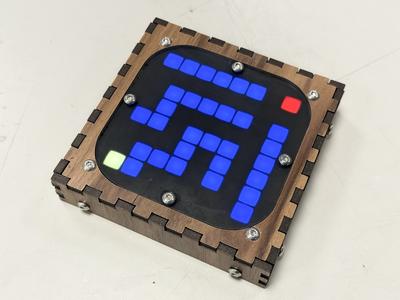
Last month we visited MakerFaire in Ghent. Among the 3D printers, robot arms, and LED installations, one project caught my kids’ attention more than anything else: a small wooden box with a glowing 8x8 LED matrix that you control by tilting it. The TiltBox, designed by Tom Michiels. The kids kept going back to it. They played maze, they played snake, they tilted and flipped and laughed. A few days later I decided to build one.
What is a TiltBox?#
The TiltBox is a handheld game console built around three components: an ESP32-C3 microcontroller, an 8x8 WS2812 RGB LED matrix, and an ADXL345 accelerometer. There are no buttons, no screen, no speaker. You control every game by physically tilting the device. You switch between games by flipping it upside down. That’s the entire interface.
The display is 64 pixels. That is enough for a maze, a snake, a game of Tetris, a scrolling text, and a dozen other games. The constraint is what makes it interesting — every pixel matters, and the games that work best are the ones designed around what 64 pixels can actually show.
Tom published the design as open source on GitHub , including the enclosure STL files, wiring instructions, and the firmware.
Building the hardware#
The bill of materials is short and cheap. An ESP32-C3 dev board, the LED matrix, the accelerometer module, a USB charger board, a LiPo battery, some jumper wires, and a handful of M3 screws and threaded inserts. Total cost is well under €20 if you source the parts from AliExpress or Amazon.
Enclosure#
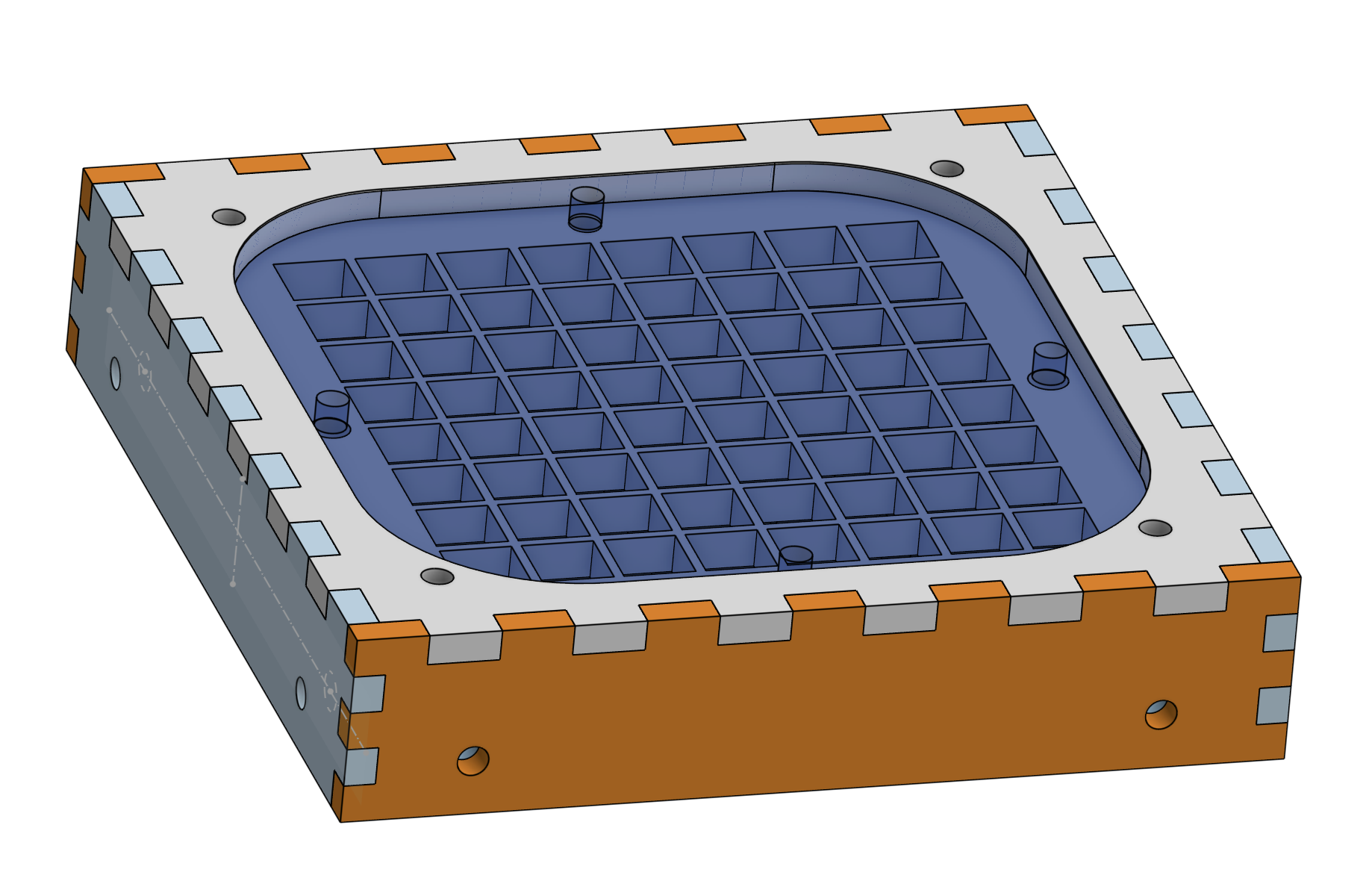
The enclosure is 3D printed in black PLA. Tom provides two STL files: the main body and a grid overlay that sits between the LEDs and the front cover, giving each pixel a clean separated look. The design includes heat-set threaded inserts — M3x5x7 — that let you screw the whole thing together neatly.
Soldering#
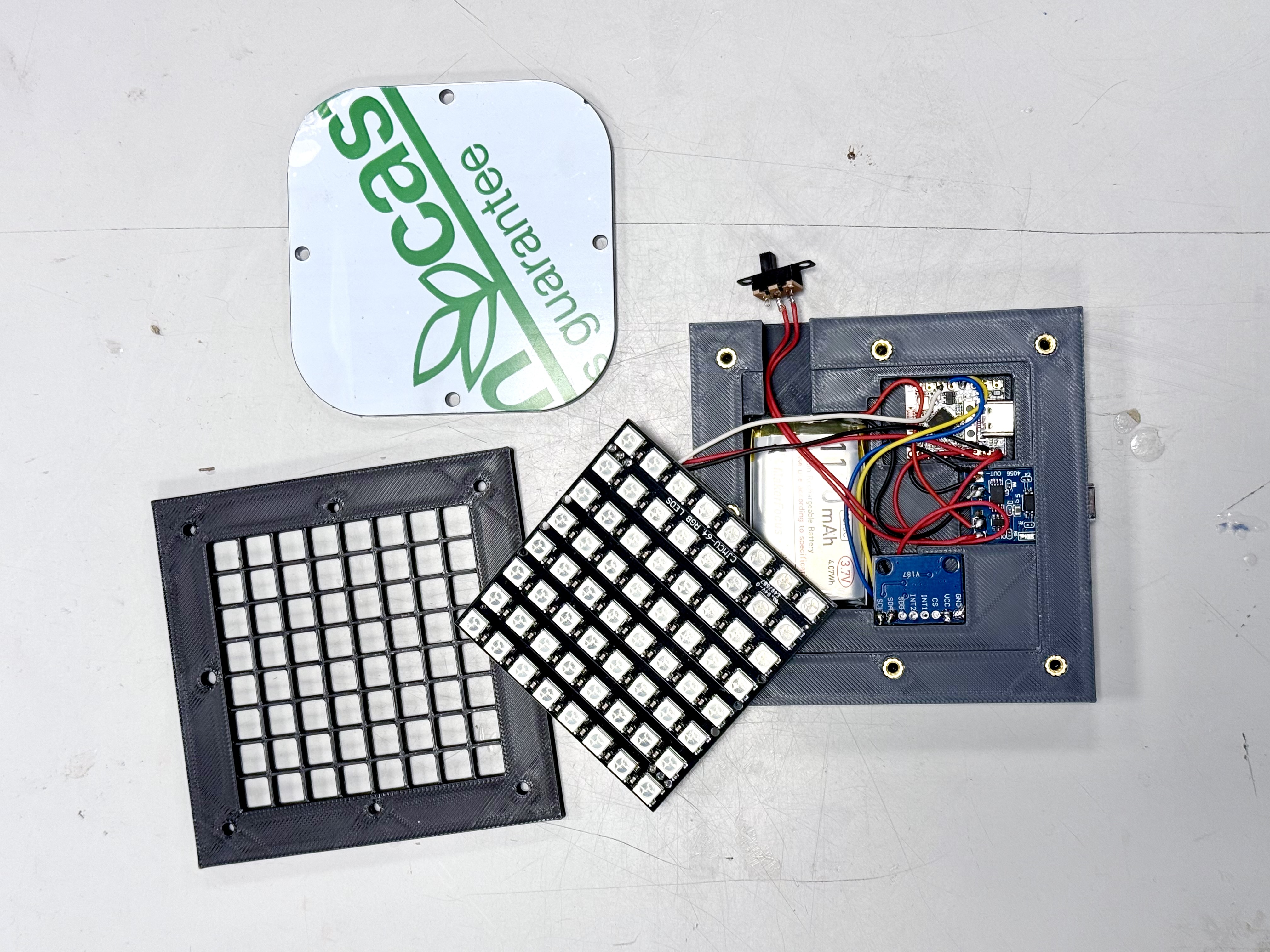
The wiring is straightforward. The LED matrix connects to GPIO 10 (using the ESP32-C3’s RMT peripheral for the WS2812 protocol). The accelerometer talks over I2C on GPIO 8 (SDA) and GPIO 9 (SCL). Power comes from the LiPo battery through the USB charger board.
A different approach to the front panel#
Tom’s original design uses a laser-cut walnut wood front frame with a clear acrylic window — a beautiful finish that gives the TiltBox its distinctive look. I went a different route. Instead of the walnut and acrylic, I designed a 3D-printed white diffuser. It’s three layers of 0.12mm white PLA — thin enough to let the light through evenly, thick enough to blend the individual LEDs into a smooth display. The diffuser has a thicker frame around the edges for structural strength. It stacks directly on top of the LED grid and screws down with the existing enclosure screws.
The result is a more uniform, softer display than the original acrylic design. It also means the entire project can be built with just a 3D printer — no laser cutter needed.
Assembly#
Putting it all together is satisfying. The threaded inserts go into the 3D printed enclosure with a soldering iron. The electronics mount inside. Then you stack the layers: LED matrix, grid overlay, diffuser, front cover. Eight M3 screws hold everything in place.
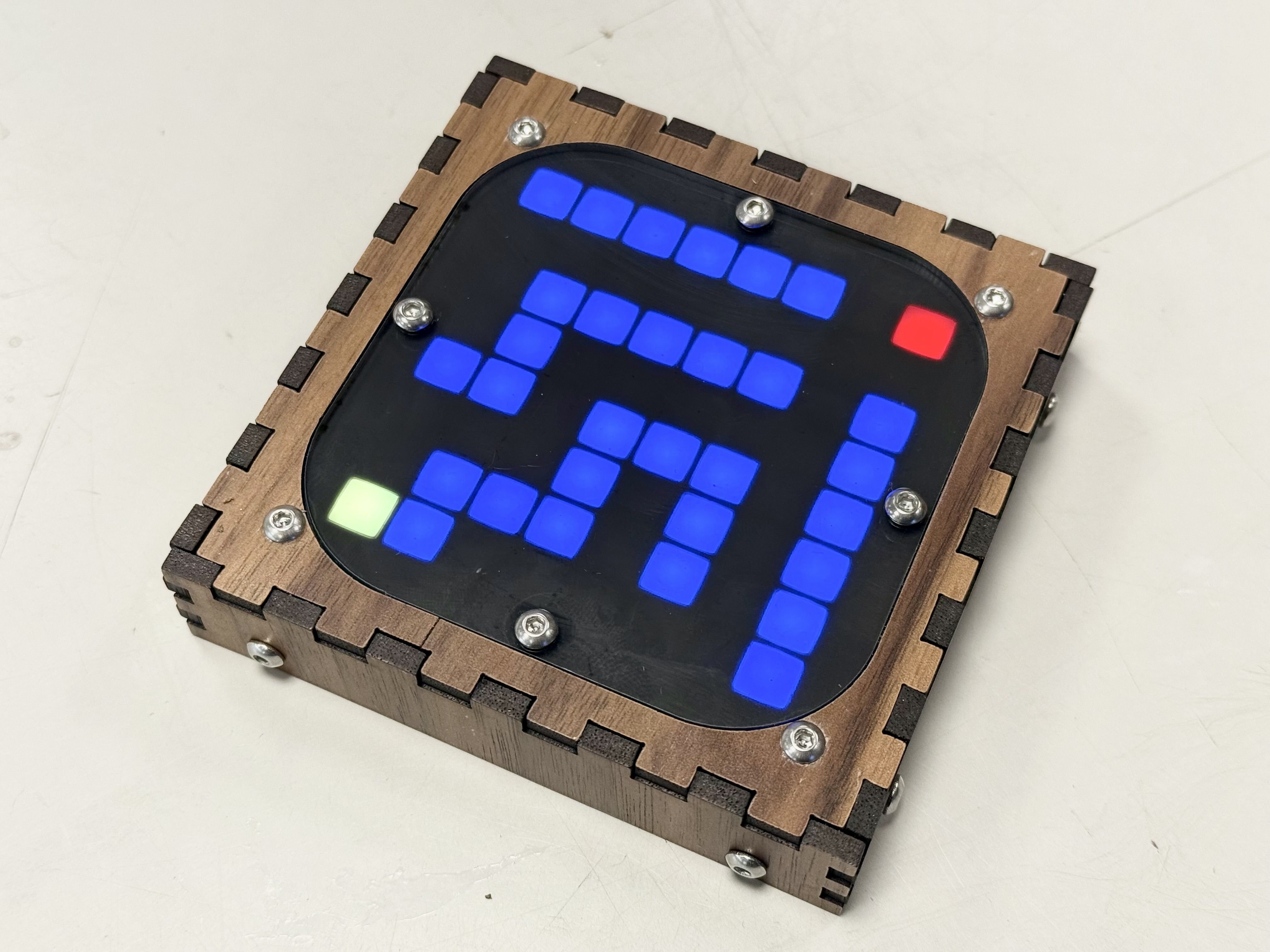
The TiltBox was originally designed by Tom Michiels at Maakleerplek , a makerspace in Leuven.
The games#
The original firmware ships with 9 games. On an 8x8 grid, game design is constrained to what you can represent in 64 pixels and four directions of tilt. The best games in the collection lean into that constraint rather than fighting it.
Maze generates a random maze and you tilt a yellow ball toward a red goal. Simple and addictive. Snake is the classic — tilt to change direction, eat the red food, don’t hit yourself. Breakout puts a paddle at the bottom and tilting left/right to bounce a ball into colored bricks. Tetris uses tilt for left/right movement, forward tilt to rotate, and backward tilt for fast drop. Dodge has falling obstacles you avoid by tilting. There’s also a ball with a fading trail, a glowing gradient ball, an animation mode with spiral rainbows and waves, and a scrolling text display.
You switch between games by flipping the device upside down. The accelerometer detects the z-axis inversion and advances to the next game. Holding the device level during startup calibrates the accelerometer to whatever “flat” means on your surface.
Getting the code running#
The TiltBox is an ESP-IDF project. You need Espressif’s development framework installed, which is the standard toolchain for ESP32 development. Clone the repo, run idf.py build, and flash it to the board.
I hit one issue right away: the code was written for an older ESP-IDF version and failed to build on v5.4. The esp_random() function had been moved to its own header file, so the implicit declaration caused a build error. A one-line fix — adding #include "esp_random.h" — solved it. I submitted this as PR #1
upstream.
Flashing to the ESP32-C3 via USB was straightforward. A few seconds later, the LED matrix lit up and the first game was running. There’s something satisfying about building a physical device, flashing firmware onto it, and watching it come to life in your hands.
Contributing back#
The original firmware was a single 1643-line C file. Every game — all nine of them — lived in main.c alongside the hardware drivers, the main loop, and the game dispatch table. It worked, but it was hard to add new games or modify existing ones without touching everything.
I refactored the codebase into a modular structure. Each game got its own file. The hardware drivers (LED matrix, accelerometer) moved into separate modules. A shared header defines the types and constants that games need. The main file shrank to about 150 lines — just the entry point, the flip detection, and the dispatch table that wires games together.
Then Claude Code and I developed six new games:
Pong — a one-player game against an AI opponent. You tilt left/right to move your paddle at the bottom. The AI tracks the ball with a slight delay, so volleys are possible. The score counts consecutive volleys, and after three misses the game resets.
Balance — a precision challenge. A ball sits in the center of the grid and random wind forces push it in different directions every couple of seconds. You tilt to counteract the wind. The target zone shrinks over time, making it progressively harder to keep the ball in bounds. Pure tilt accuracy under pressure.
Catch — items fall from the top of the screen. Green ones are worth points, red ones cost a life. You tilt to move a three-pixel basket at the bottom. The speed increases as your score goes up, and you have three lives.
Target Practice — a timed aiming challenge. A smooth cursor follows your tilt and targets appear at random positions. Hit as many as you can in 30 seconds. The bottom row shows a countdown bar.
Sokoban — the classic push-block puzzle game, adapted for an 8x8 grid. You tilt to move your character and push blocks onto target positions. Eight levels of increasing difficulty, with tilt input debounced for precise single-cell moves.
Marble Race — a scrolling track game. A marble auto-scrolls upward along a winding path and you tilt left/right to steer. The speed increases as you score points, and three lives means three chances to go off-track.
All six games, plus the refactoring and the build fix, were submitted as pull requests to the upstream repository. Nine PRs in total, each building on the previous one.
Lessons learned#
An 8x8 grid is a surprisingly capable game display when the games are designed for the constraint. Maze, Sokoban, and Balance work because they need exactly the resolution the matrix provides. Games that try to simulate something with more detail — like Breakout — work too, but they show the edges of what 64 pixels can do.
Maker faires remain one of the best ways to discover projects you would never find online. The TiltBox was one booth among dozens at MakerFaire Ghent, but it was the one my kids kept returning to. Physical interaction — holding something, tilting it, feeling it respond — is still more engaging than any screen.
Building hardware with your kids hits differently than writing code. They see the LED light up for the first time and it’s real in a way that software never is.
And finally: contributing to open source is the right thing to do when someone else’s project gives you something you enjoy. Tom designed the TiltBox and shared it freely. The least I could do was fix a build bug, clean up the code, add some games, and send it back.
Resources#
- TiltBox on GitHub — original project by Tom Michiels
- My fork — with refactoring and new games
- ESP-IDF documentation
- Maakleerplek — makerspace in Leuven where Tom Michiels designed the TiltBox
- MakerFaire Ghent